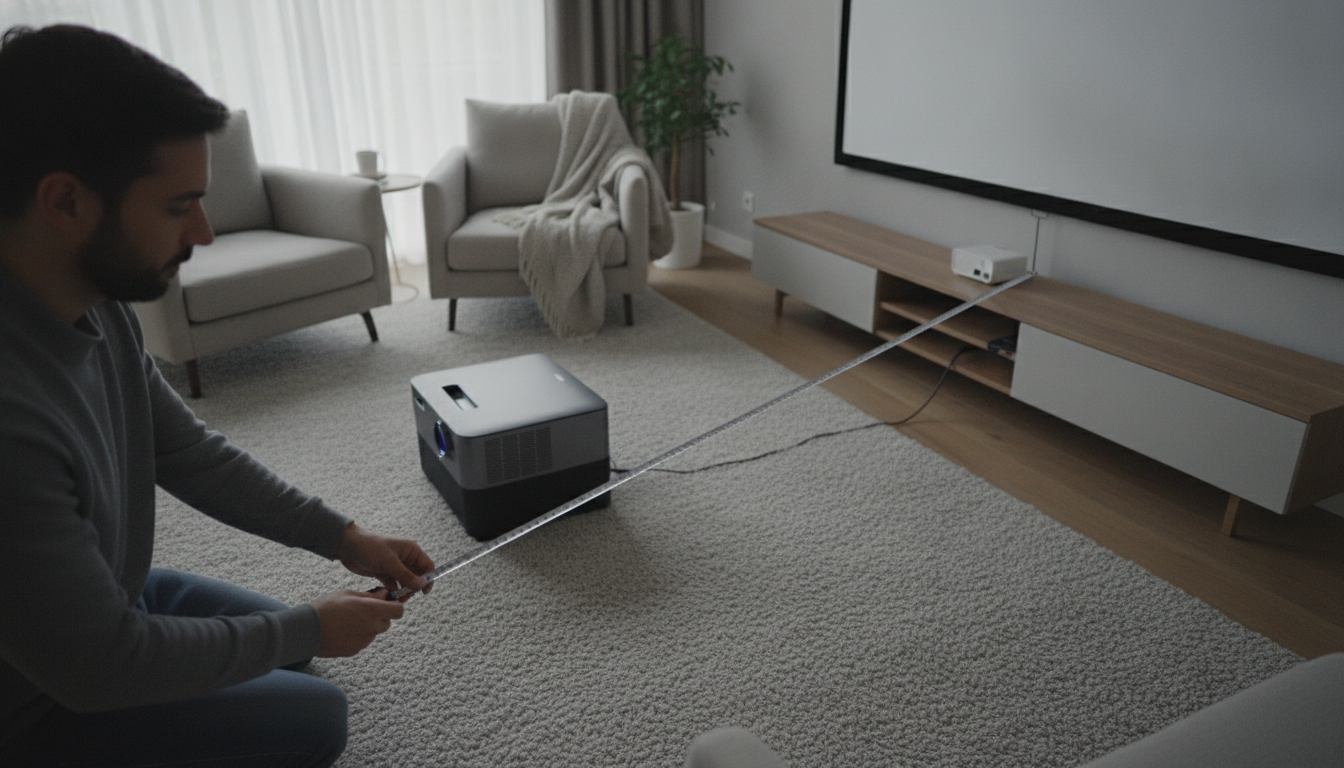
For a 1080P home theater projector, the “right” screen size and throw distance come down to two things: how far you sit from the screen and what your projector’s throw ratio allows. A practical sweet spot for many living rooms and dedicated media spaces is a 100–120 inch diagonal 16:9 screen, with the projector placed far enough back to fill that size without zooming to extremes.
With 1080P, going too large for your seating distance can make pixels more noticeable and force you to scan the image. As a general guideline, many people find a comfortable viewing range when the seat is about 1.2–1.6x the screen diagonal. That means a 100-inch screen often works well around 10–13 feet, while a 120-inch screen tends to feel better around 12–16 feet. If you sit closer, consider dropping to 92–106 inches for a smoother, more relaxed view.
Throw distance is the lens-to-screen distance required to create a specific image size. The key spec is the throw ratio (for example, 1.2–1.5:1). Multiply screen width by the throw ratio to estimate distance. A 100-inch 16:9 screen is about 87 inches wide (7.25 ft). With a 1.2–1.5:1 projector, you’d typically mount it around 8.7–10.9 feet from the screen. A 120-inch screen is about 105 inches wide (8.7 ft), so that same projector would land around 10.4–13.0 feet.
If you have ambient light, a slightly smaller screen can look punchier because the same light output is concentrated into a smaller area. Also, try to avoid relying on maximum zoom or heavy keystone correction; both can reduce sharpness. When possible, center the lens to the screen and use lens shift if your projector offers it.
For a deeper sizing walkthrough and real-world placement tips, see the full guide here: https://alazare.com/what-screen-size-and-throw-distance-should-i-use-for-a-p-home-theater-projector/.
Often, yes—especially if you sit close or have ambient light. A smaller screen can look sharper and brighter because the pixels and light output are spread over less surface area.

Leave a comment